
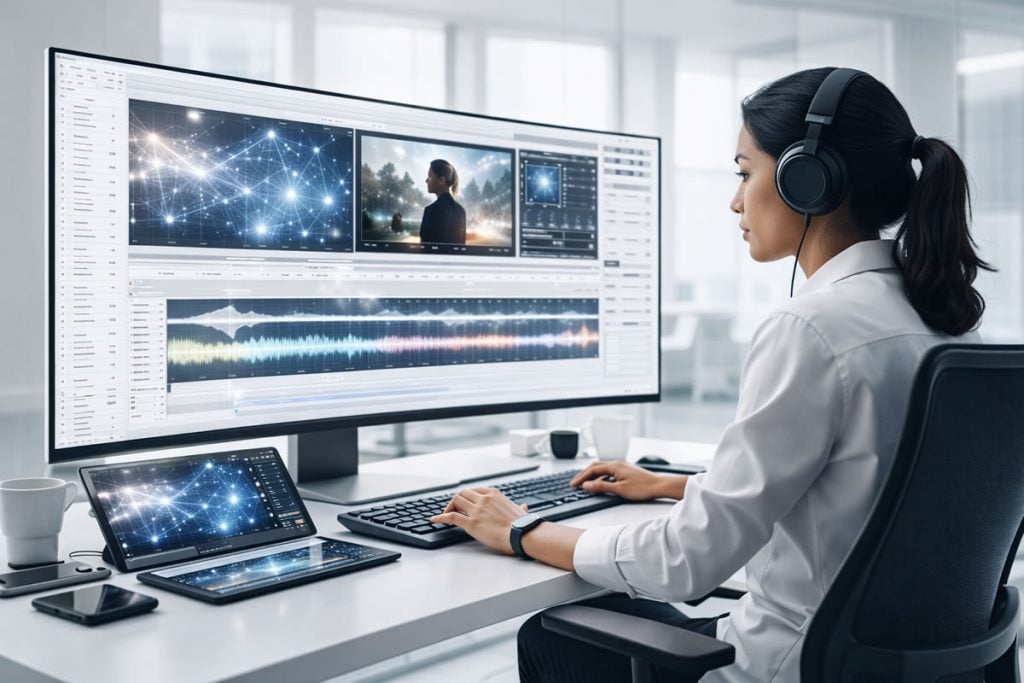
The landscape of video production has shifted. In 2025, we talked about AI as a set of tools; in 2026, it has become the engine behind every successful creator’s workflow. The goal is no longer just to “use AI,” but to build systems that handle the repetitive, time-consuming tasks so you can focus on the soul of your story. If you feel like you’re constantly racing against deadlines, it’s time to rethink your AI video editing workflows. Let’s dive into 7 AI-driven strategies that are changing the game this year.
1. Text-Based Editing and Automated Rough Cuts
The days of scrubbing through hours of raw footage just to find a clean take are officially over. Text-based editing has evolved into a sophisticated workflow that treats your video timeline like a simple text document.
Transcription-Sync Editing: By converting your audio to text instantly, you can delete sentences in the transcript, and the corresponding video frames are removed automatically.
Filler Word Removal: Advanced algorithms now identify not just “ums” and “ahs,” but also long pauses and repetitive phrases, cleaning up your edit in a single click.
Narrative Assembly: AI can now suggest the best “takes” based on the sentiment and clarity of the speech, assembling a coherent rough cut before you even touch a transition.
Text-based editing is the ultimate time-saver for interview-heavy content and vlogs. By shifting the focus from manual cutting to story-shaping, editors are reclaiming hours of their day. If you are curious about how this compares to previous years, check out our guide on 15 Essential Video Editing Trends for 2025 to see how far we’ve come.
2. Predictive Clipping for Social Media
Repurposing long-form content into viral shorts used to be a full day’s work. In 2026, predictive clipping workflows use data-driven AI to identify “high-retention” moments automatically.
Hook Identification: AI analyzes the first few seconds of potential clips to ensure they have the visual or auditory “hook” necessary to stop the scroll.
Auto-Framing and Tracking: The workflow automatically converts horizontal 16:9 footage into vertical 9:16, using face-tracking to keep the subject centered.
Contextual Subtitling: High-impact, animated captions are generated and styled based on the platform’s current aesthetic trends.
This workflow allows creators to dominate multiple platforms without doubling their workload. By letting AI handle the “social cut,” you ensure that your content is optimized for the algorithms while maintaining your brand’s voice. It’s the bridge between deep-dive content and the fast-paced world of social feeds.
3. Generative B-Roll and Scene Expansion
Finding the perfect stock footage used to involve hours of searching through expensive libraries. The new generative workflow allows you to create or expand the exact shot you need within your timeline.
Prompt-to-Video Integration: Editors can now type a description of a missing shot directly into their NLE and generate high-fidelity B-roll that matches the style of their project.
Generative Expand: If you have a shot that is too tight, AI can “outpaint” the edges of the frame, creating a wider environment that didn’t exist in the original recording.
Style Transfer: You can apply the color science and “look” of your main footage to generated clips, ensuring a seamless visual blend.
Generative B-roll is solving the “missing shot” problem that has plagued editors for decades. It provides a level of creative freedom that was previously impossible without a massive budget or a reshoot. As these models become more photorealistic, the line between captured and generated reality continues to blur.
4. AI-Powered Sound Design and Sonic Identity
Audio is 50% of the viewing experience, yet it often takes up a disproportionate amount of time. 2026 workflows prioritize “sonic intelligence” to create professional soundscapes in minutes.
Smart Background Music Matching: AI analyzes the pacing and emotional arc of your edit to suggest tracks that fit the exact BPM and mood of your video.
Automated Foley and SFX: The software “sees” what is on screen—a car door slamming, a bird chirping—and automatically places the appropriate sound effect on the timeline.
Voice Isolation and Enhancement: Even recordings in noisy environments can be transformed into studio-quality audio, removing echoes and background hum.
A great edit can be ruined by poor audio, but these AI workflows ensure that your sound design is as polished as your visuals. High-quality source material still matters. Even the best AI workflows benefit from clean, well-produced royalty-free music and sound effects.
5. Seamless Multi-Language Dubbing and Lip-Sync
Expanding to a global audience used to require expensive dubbing actors. Now, AI-driven dubbing workflows allow you to localize your content while keeping your original voice and performance.
Voice Cloning: The AI creates a digital twin of your voice, allowing it to “speak” dozens of languages while maintaining your unique cadence and tone.
Visual Lip-Sync Correction: AI modifies the speaker’s mouth movements to match the phonemes of the new language, eliminating the “badly dubbed movie” effect.
Cultural Nuance Adjustment: Advanced LLMs translate scripts not just literally, but idiomatically, ensuring the humor and context land correctly.
Breaking the language barrier is the fastest way to scale a brand in 2026. This workflow turns a local creator into a global one overnight. It’s not just about translation; it’s about connection through high-end AI video editing efficiency.
6. Intelligent Color Grading and Relighting
Color grading is often the most intimidating part of the post-production process. AI has simplified this into a “look-matching” workflow that delivers professional results instantly.
Shot Matching: AI analyzes a reference image and applies that exact color profile to your entire timeline, ensuring consistency across different cameras.
Virtual Relighting: If a subject’s face is too dark, AI can map the 3D geometry of the face and add a virtual light source that reacts realistically to shadows and skin textures.
Object-Specific Grading: You can now tell the AI to “make the sky more dramatic” or “saturate only the product” without manual masking.
Intelligent color grading takes the guesswork out of the final polish. It allows editors to achieve a high-end “film look” without spending years mastering color wheels. By automating the technical side of color science, the workflow lets you focus on using color to evoke emotion.
7. Agentic Distribution, SEO & Meta-Tagging
The workflow doesn’t end when the export button is hit. In 2026, AI “agents” handle the tedious process of preparing your video for the world.
Automated Meta-Descriptions: Based on the actual content of the video, AI writes SEO-optimized titles, descriptions, and tags for YouTube and social platforms.
A/B Thumbnail Generation: AI generates multiple thumbnail options by picking the most expressive frames and overlaying high-converting text.
Platform-Specific Versioning: The agent automatically creates different versions of the video tailored to the specific requirements of each hosting site.
This final step in the workflow ensures that your hard work actually gets seen. By removing the “admin” side of content creation, you can move immediately from finishing one project to starting the next.
See it in Action: AI Workflows for 2026
To help you visualize how these tools are being integrated into professional environments, check out this deep dive into the most effective AI video editing tools and workflows for 2026. This video provides a great practical overview of the concepts we’ve discussed.
Conclusion
The video editing workflows of 2026 are defined by a partnership between human creativity and machine efficiency. By integrating these 7 AI-driven strategies, you aren’t just saving 10 hours a week—you are upgrading the quality of your output and reducing the burnout that comes with manual labor. Master these tools and let your storytelling take center stage.